5.2 Configuring and Starting a Job (Manual)
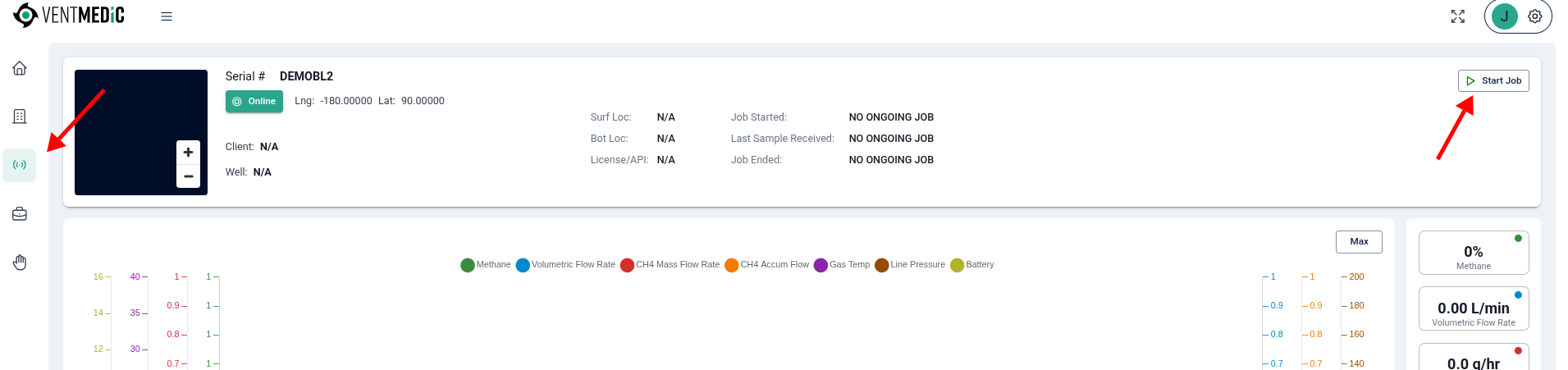
- On the Live Device page, click Start Job to open the job configuration dialog.
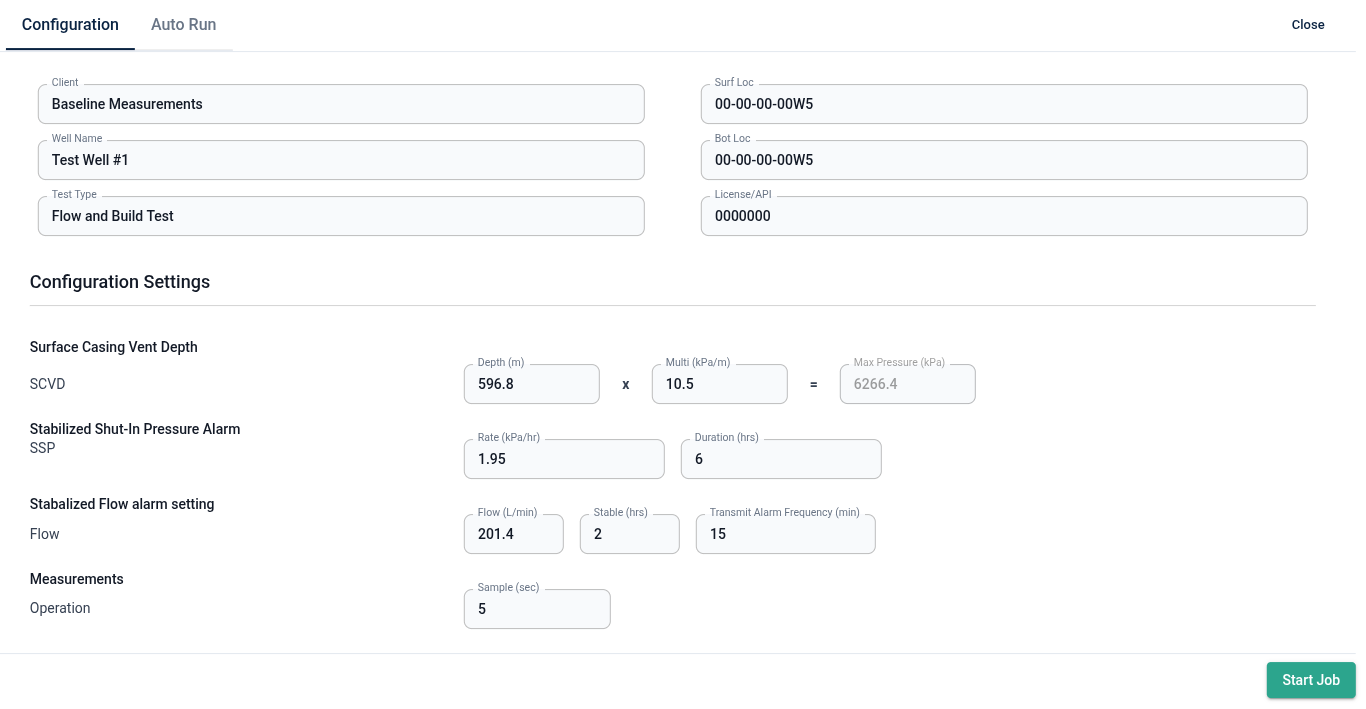
Complete the Job Information fields:
- Client Name
- Well Name
- Test Type
- Surface Location (Surf Loc) and Bottom Hole Location (Bot Loc)
- License/API number
Set Configuration Settings:
- Surface Casing Vent Depth — Max Pressure: Enter depth (metres) and multiplier (kPa/m) to calculate the high-pressure alarm threshold. Example: 596.8 m × 10.5 kPa/m = 6,266.4 kPa.
- Stabilized Shut-In Pressure Alarm: Set pressure range and shut-in duration for alarm notification.
- Stabilized Flow Alarm Settings: Set max flow rate (LPM) and low-to-high flow setpoints.
- Sample Rate: ≥60 seconds is recommended for long-term deployment tests.
- Click Start Job. The system validates settings and safety limits before sending the start command to the unit and initiating GPS acquisition.